LinkedIn Learning · Web Design
AI-powered learning for professionals
Empower enterprise learners through AI-powered goal setting and onboarding
Overview
LinkedIn Learning key feature is career development. It is an enterprise tools for our enterprise customers to support their employees' career development. Learners onboard to the platform with invitation from their company's L&D or their managers. On the platform, they set their career goals, and start their learning plan.
In this project, I redesigned the existing career development features end to end, by addressing a few key problems with the introduction of AI. It was presented at LinkedIn Talent Connect 2024, and the MVP was launched in 2024 and received positive feedback.
My Approach
I use different approaches based on the nature of the project. For this project, there are somethings unique about it:
First, LinkedIn Learning team is different from other teams at LinkedIn, in that it operates very much like a start-up. We figure things out as we go, and changes are very common here. Therefore, we worked on this project with quick iteration, frequent reviews, and less linear process. Instead of moving from research → explorations → wireframe → hi-fidelity designs, we design, iterate and align at all levels (strategy, flow, interaction, visuals) simultaneously.
On the other hand, in order to drive clarity and move the project forward in a productive way in such environment, I leveraged a lot of design thinking tools (visualization, framework) to help drive alignment and facilitate decision making.
Lastly, it's an enterprise facing project, which means user experience is being considered as well as other business complexities. Therefore I spent tons of time trying to understand the business and operation aspects of this project, to make sure I understand all the stakeholder needs when pushing for better user experience.
Problem & Opportunities
Enterprise learning context
Over 90% of LinkedIn Learning's users are enterprise users. This means people mostly come to learn out of extrinsic motivations instead of intrinsic motivations. They often comes to LinkedIn Learning because their manager requires them to do so, or the L&D in their company assigned certain courses to them.
On the other hand, people do appraise the quality of our learning content. They find our content to be helpful for their career. However, they are busy with their work and often struggle with finding the time to learn.
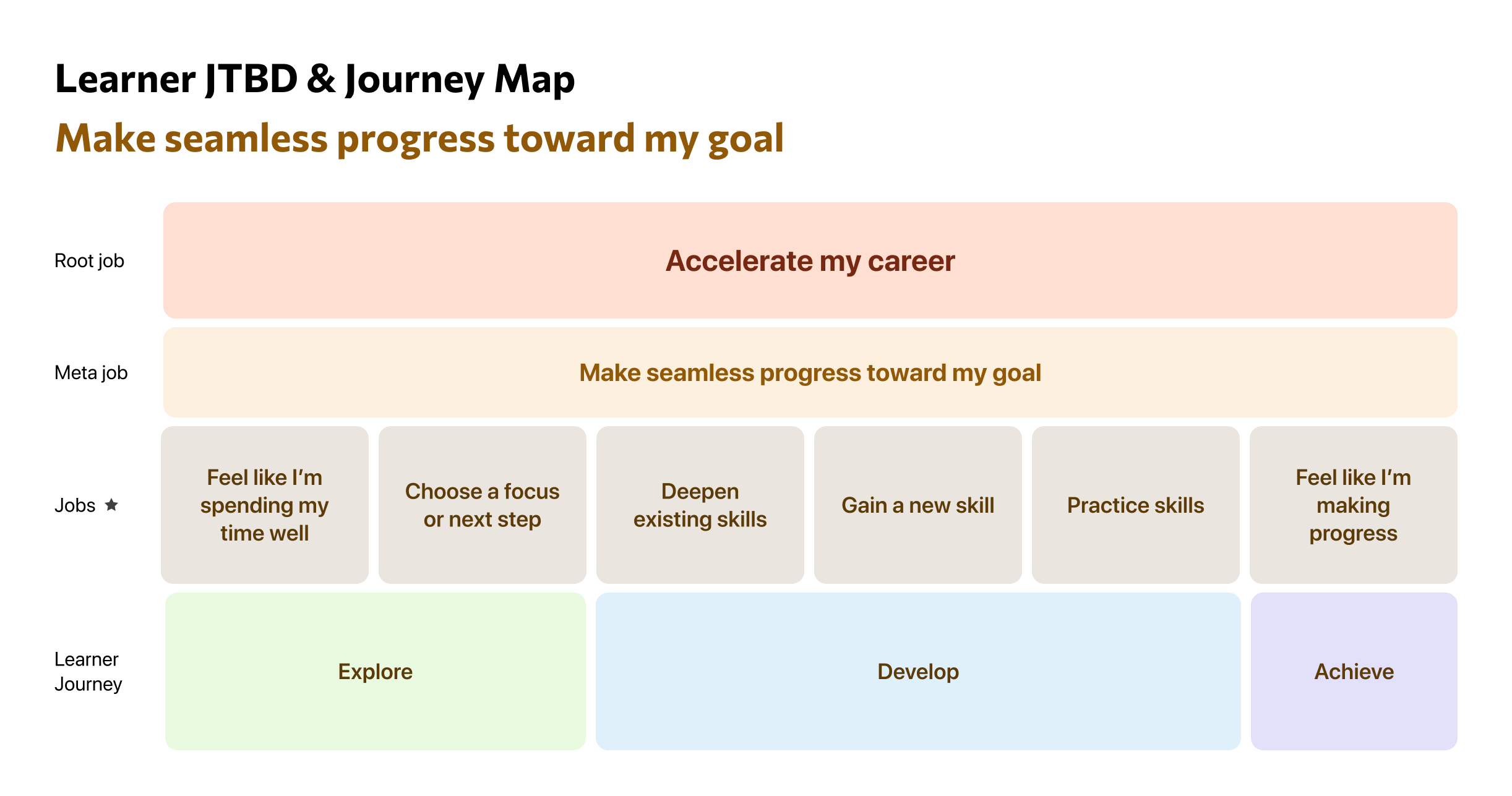
In a comprehensive study the team did in the past, we identified the learner user journey into 3 main steps: explore, develop, and achieve. And their main JTBD is to accelerate their careers.
Current experience gaps
Despite strong content, the current Career Development experience falls short in supporting meaningful progress. It consists of an onboarding flow to set goals, and a learning plan page which organizes content by skills a learner follows.
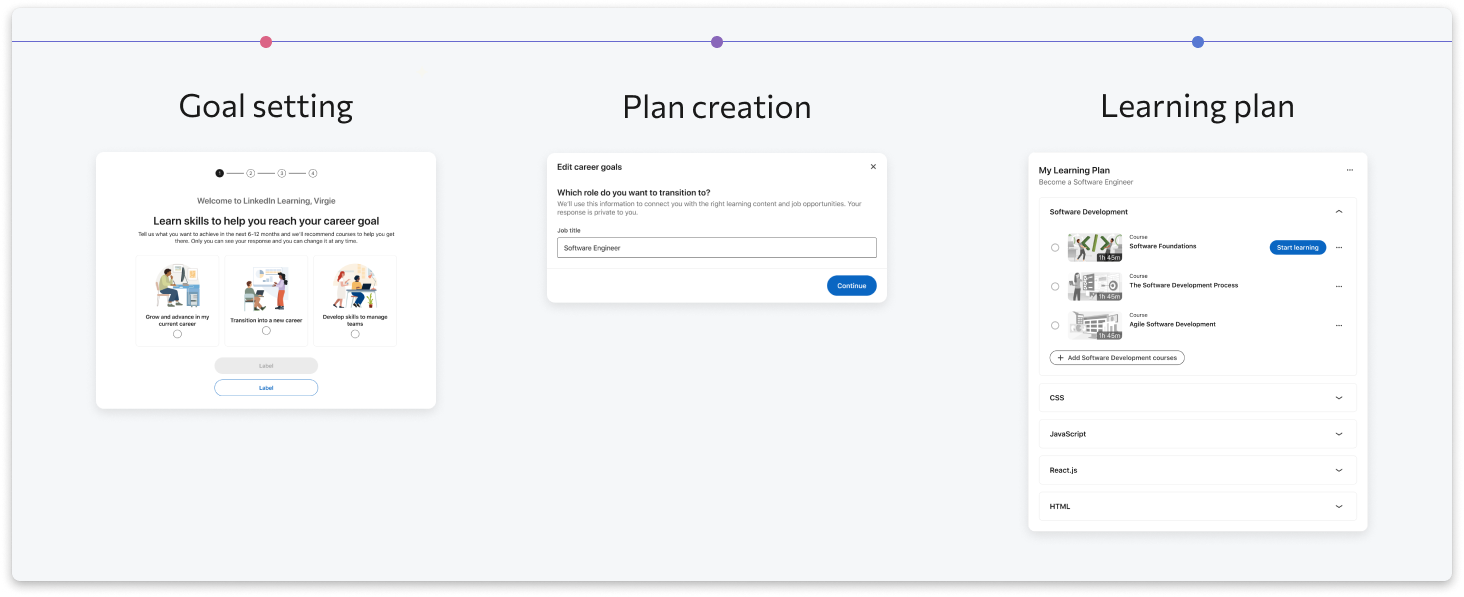
Here are the main probem with the existing flow:
1. Rigid and shallow goal setting
Learners can only select predefined roles or skills, which oversimplifies real career goals. In reality, goals are often more specific, contextual, and evolving.
2. Limited personalization & poor relevance
Today, learners with the same goal receive nearly identical learning plans, regardless of their background, experience level, or intent. This leads to low relevance and poor engagement.
3. Limited Learning modality
Today's learning content are mostly videos and courses. There's no interactive learning activities or opportunities to practice.
4. Unclear outcomes and weak sense of progress
Learners lack clarity on what they will achieve after completing a plan, reducing motivation and perceived value.
Emerging opportunity: AI + Learning Coach
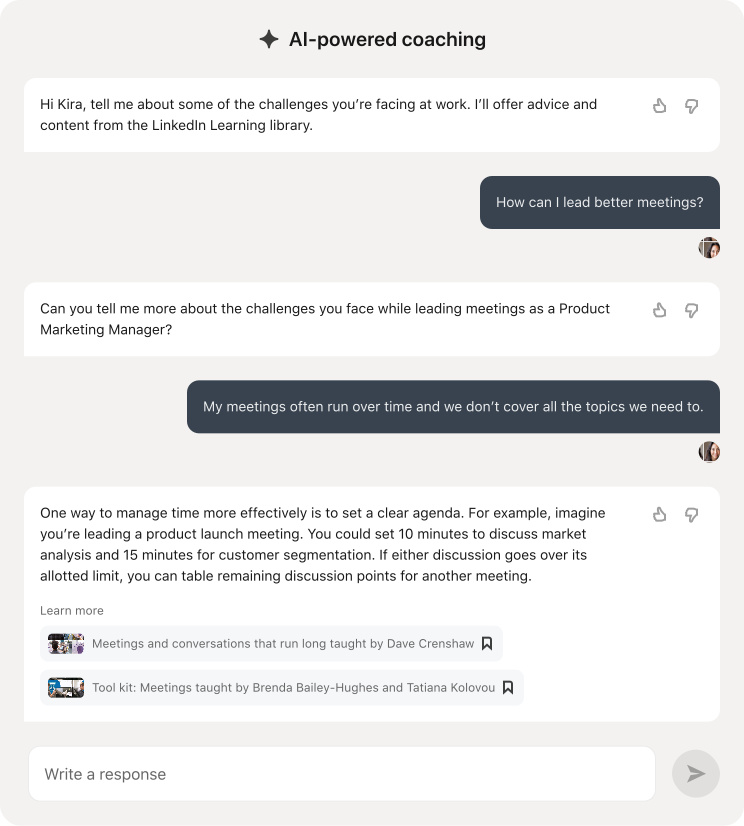
The launch of Learning Coach — an AI-powered assistant embedded within LinkedIn Learning — surfaced a strong signal:
- Career development is one of the most frequently asked topics
- It also drives the highest WoW retention among Coach users
At the same time, learners are explicitly asking for:
- More structured guidance
- More personalized plans aligned with their goals
This reveals a clear gap in the current experience — and a strong opportunity:
Leverage AI (LLM + Learning Coach) to move from static, generic learning plans → dynamic, personalized, and context-aware career guidance
"Discussion to create a plan to help prepare for the job position I am attempting to interview for and prepare for the current trends."
"I would like to get more accurate career guidance if possible so i could follow the courses and learning path …"
Theoretical insight: what makes goals effective
I leveraged an independent research I did back in graduate school on goal-setting theory to help guide the design and inform the team. What I've learned was that effective learning goals tend to have a few key characteristics:
- Specific, not vague — clear and actionable rather than abstract
- Challenging but achievable — motivating without being unrealistic
- Proximal, not purely long-term — broken into near-term milestones
- Self-directed, not only assigned — allowing learners to shape their own goals
- Learning-oriented, not just outcome-driven — focusing on growth, not just results
Design Process
Lead with Vision
At LinkedIn, we often lead with design vision, and in this project, we do the same. We started broad and tried to brainstorm as many ideas as possible. We spent two weeks putting together our 1-year vision for this project. You can view the presentation below, or through this link.
Here are a few main ideas from the flow:
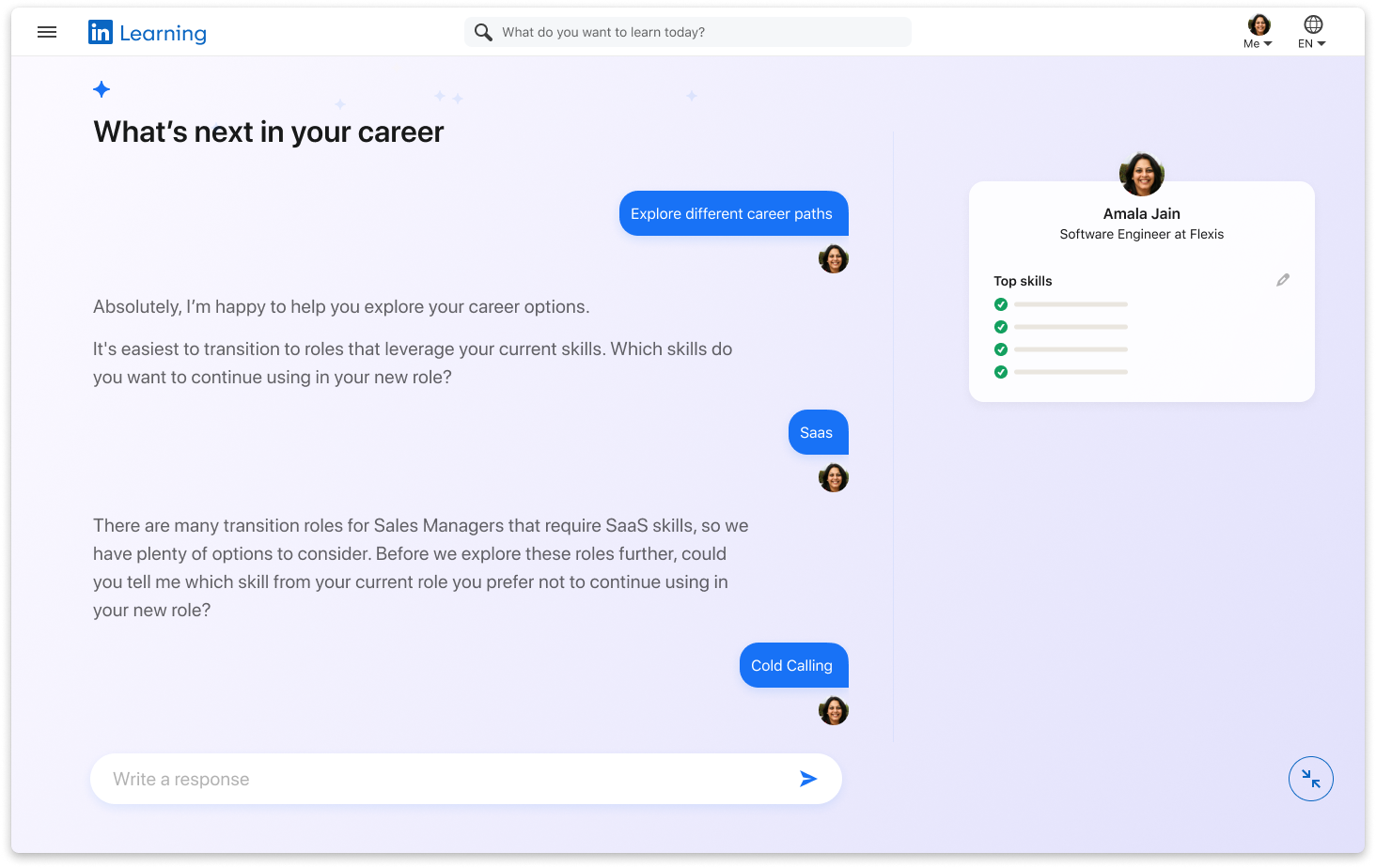
1. Ask probing questions to understand learners and help them set better goals.
✅ Adopted
This is where AI can bring the most user value, and it also aligns with our overall strategy. But we need to balance free conversation vs structure in goal setting.
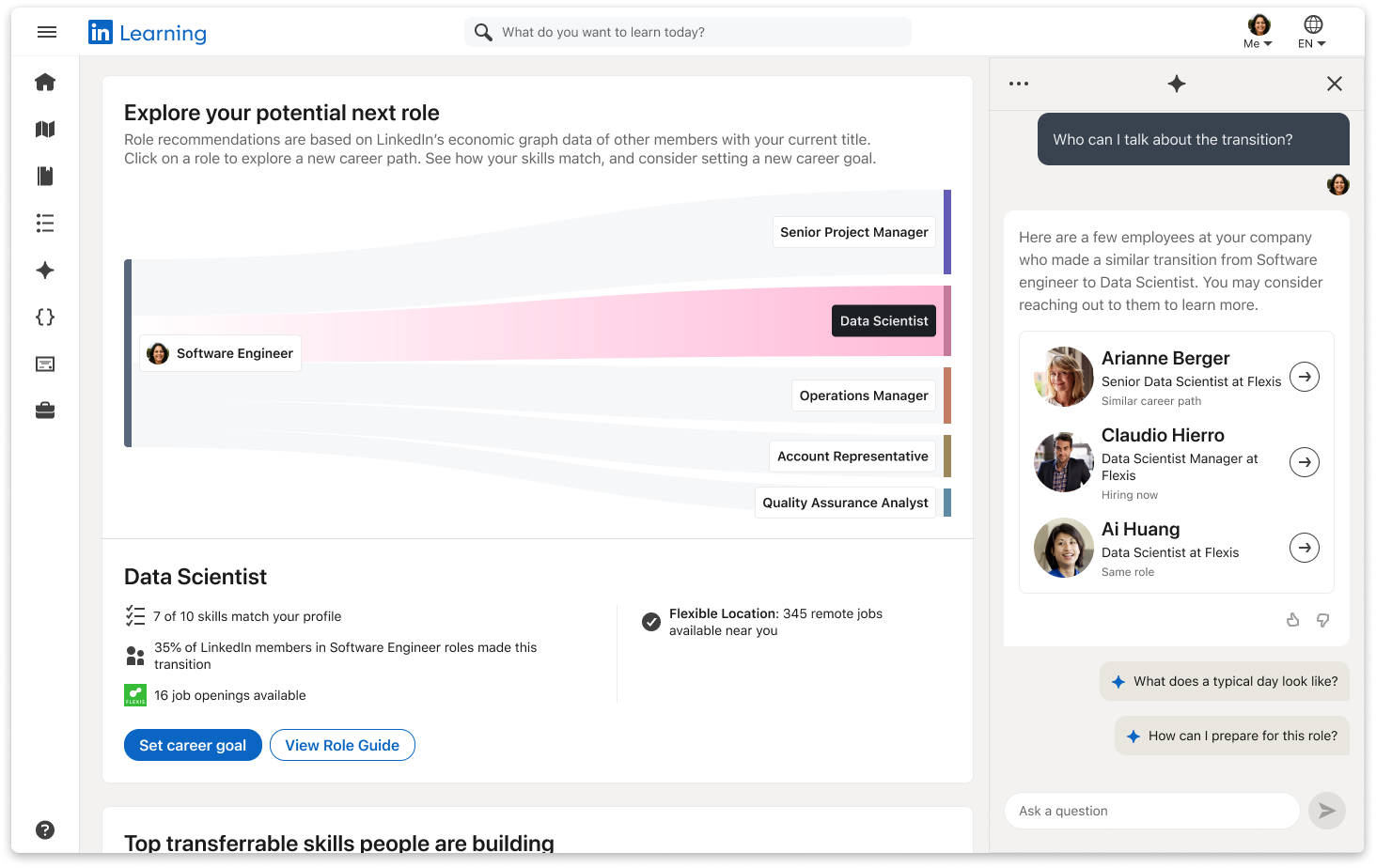
2. Coach works as a co-pilot to guide you to navigate Next role explorer to set your goal.
❌ Was not adopted
This could add more noise than value in this case. I did some systematic thinking for the coach pattern here.
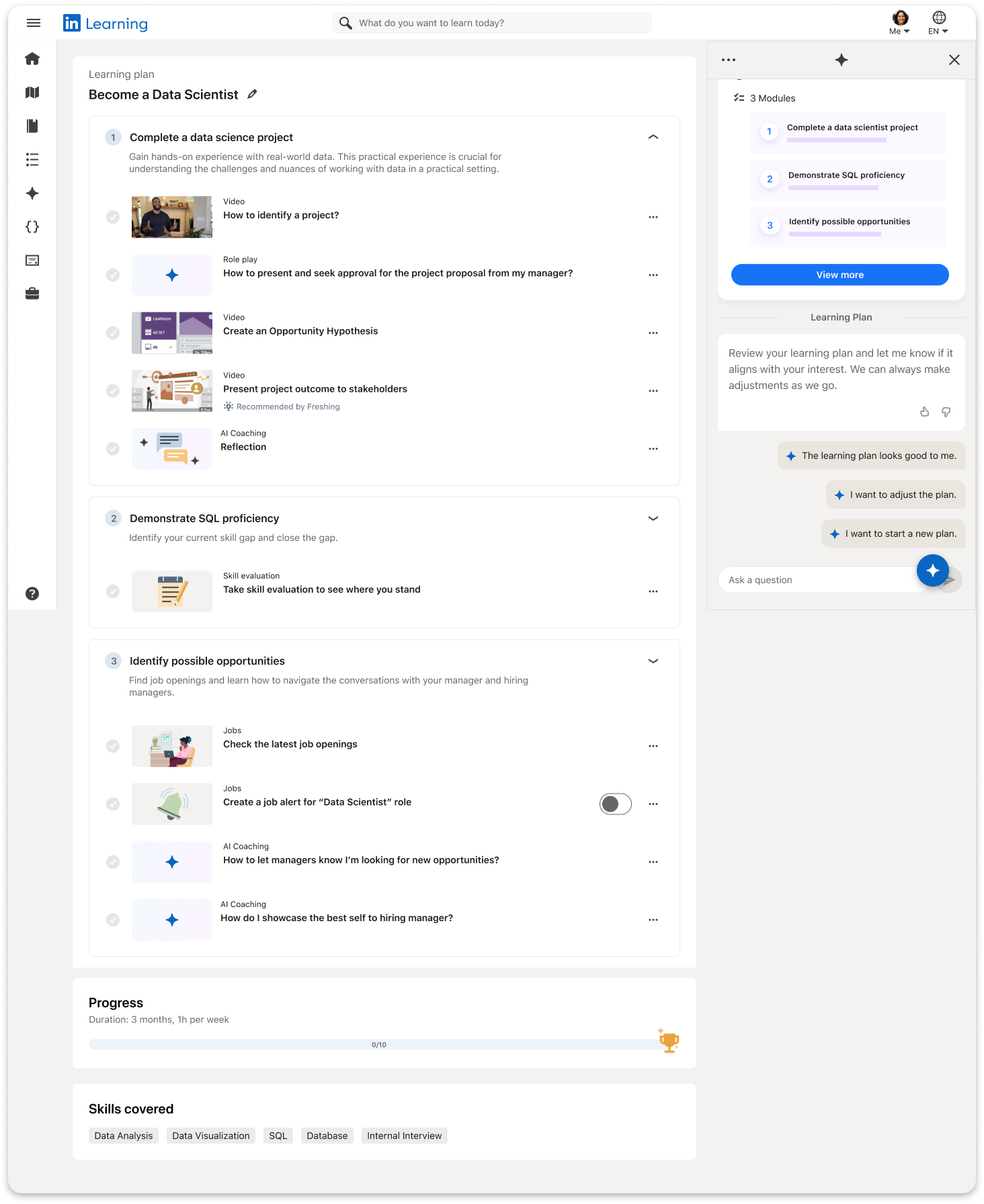
3. Improve learning plan to add more modality, including role-play, reflection, job search.
✅ Adopted
They feel very well suited for enterprise learning scenarios. Some features are being passed over to other teams. Role-play is already live now.
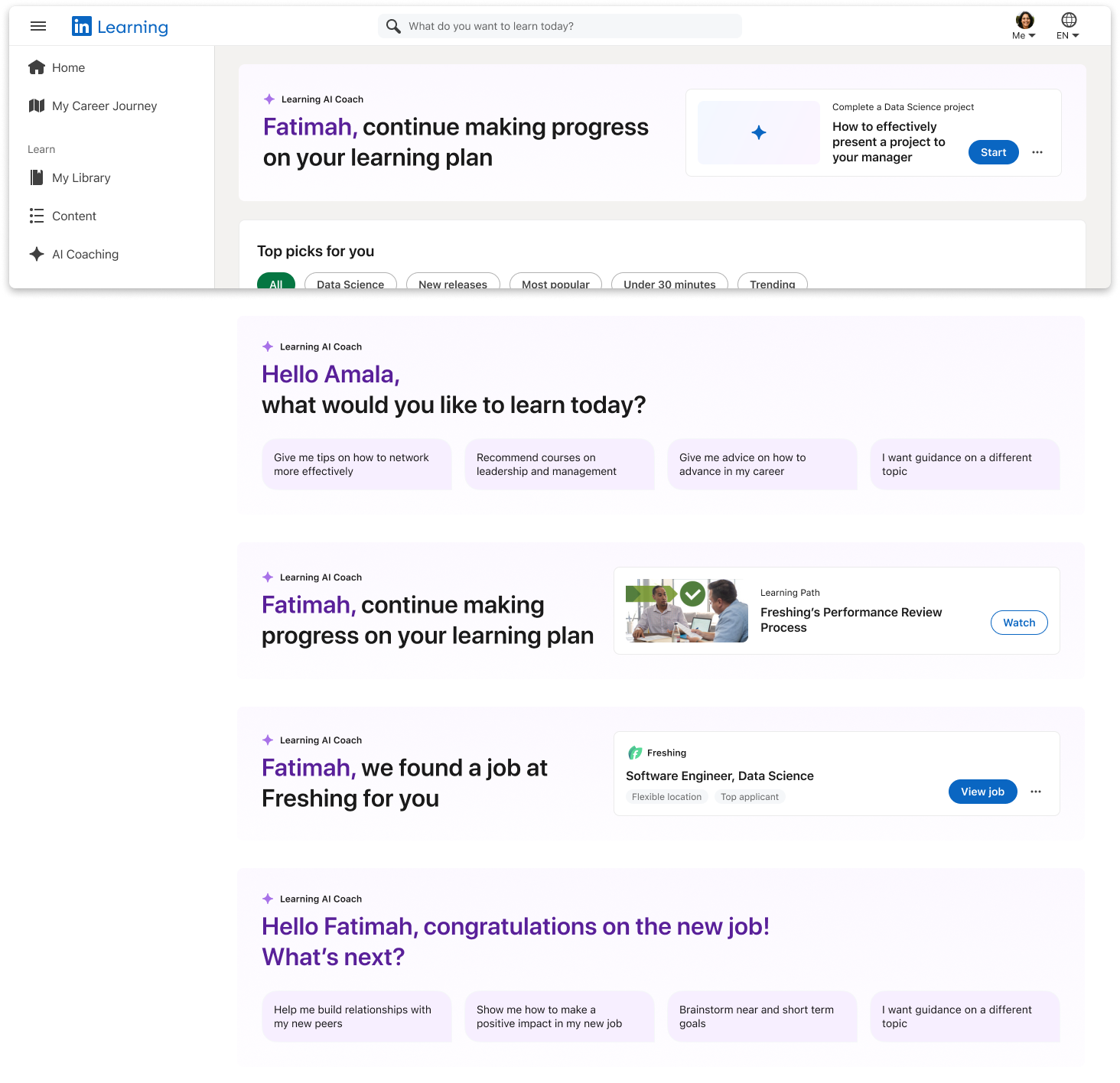
4. Coach proactively prompt you next actions in the homepage banner.
💡 Influenced another team
This informed the design of the search banner.
5. Learning plan is being updated based on learner's progress and recent activities.
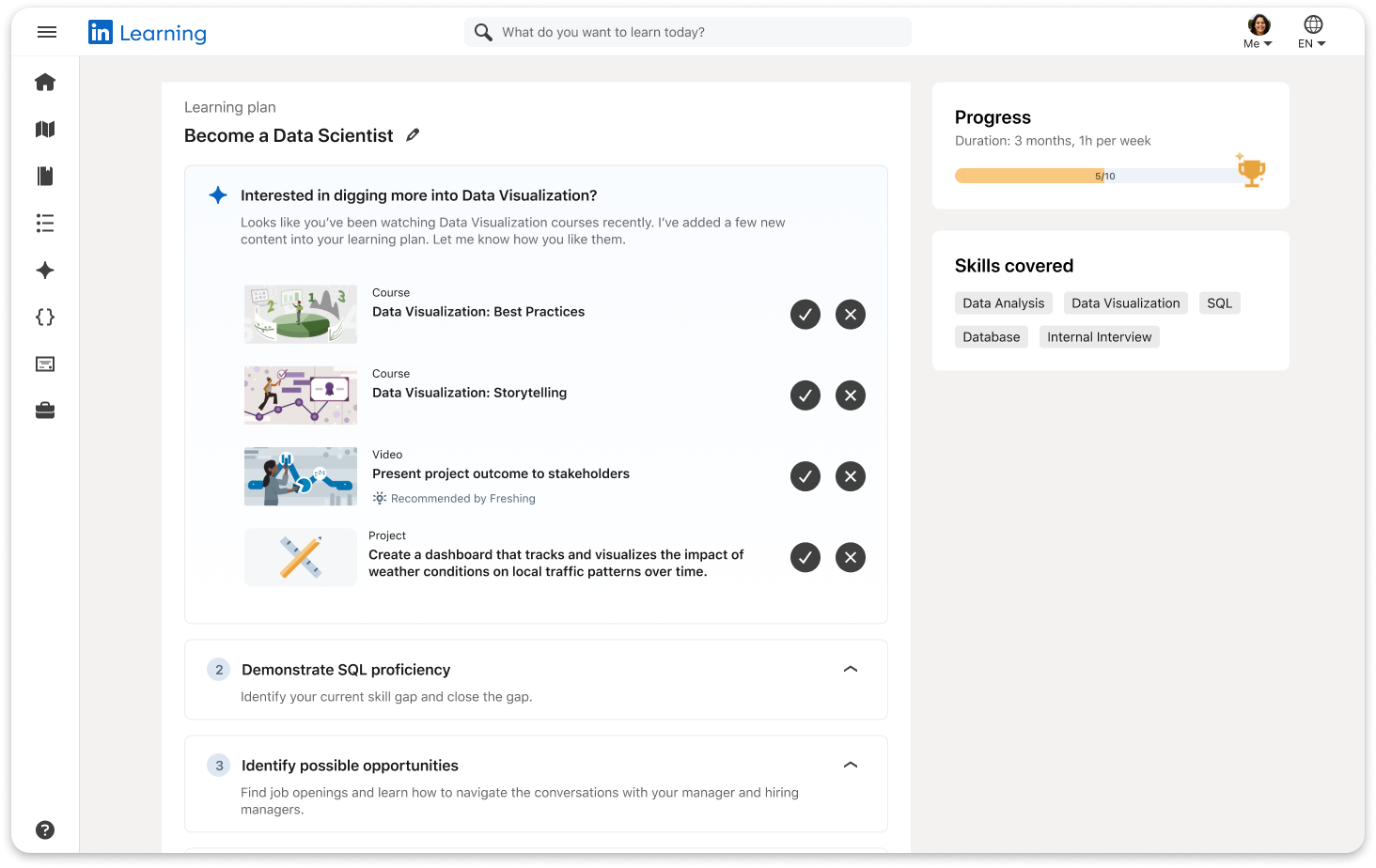
🔄 Adopted, but went on a different direction
6. Manager involvement
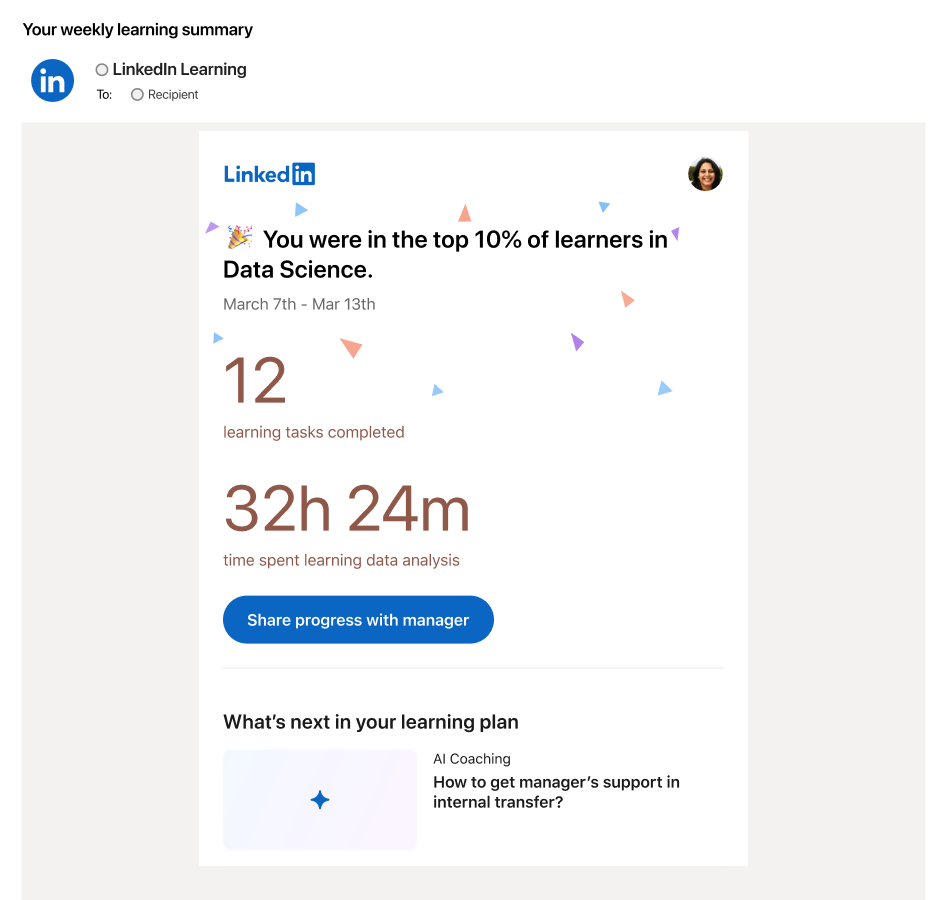
❌ Not adopted
Everyone is excited about it, but we are not there yet. In a vision project that I did later, I've included this idea.
Dive Deeper
After aligning on the main focus of the redesign, we started to dive deeper. I was leading the onboarding/goal setting flow, collaborating with another IC designer who focused on Learning plan redesign.
I started with compiling the list of minimal data needed in order to generate a high quality learning plan. I also worked closely with engineers to understand the list of data we are able to get from the user without asking them, either through their LinkedIn profile, or enterprise account. This helped me identify the key information we need to collect: the title, years of experience, a specific career goal (ideal title, focus area or skill), timeline.
As I was exploring how to best use the onboarding flow to collect those data, a couple of key open questions and considerations were my main focus:
Balance between free conversation vs structured steps.
I've explored different options along this spectrum, including fully functional chatbot, and traditional step-by-step onboarding flow. What I ended up was somewhere in between: for the profile completion part, we follow a pre-set path to collect user info, and for the goal setting part, we used free text input with smart suggestions to inspire learner to set better goals.
Here you can see a list of explorations I did.

How many steps should the goal-setting flow have?
Collecting more data is not only appealing from a relevance perspective, but it can also help learner feel heard and in control. One piece of data we debated a lot was timeline - we ended up removing it for MVP, but decided to add it back after seeing the ramp data.
Another way I explored to reduce steps without losing data was to restructure the conversation. For example, instead of confirming their title, and then move to goal-setting, we could skip the confirming step, and go straight to the goal-setting screen with their title as the context. I also created a framework that summarizes different styles of conversation based on the confidence level.
Visual Branding and Motion
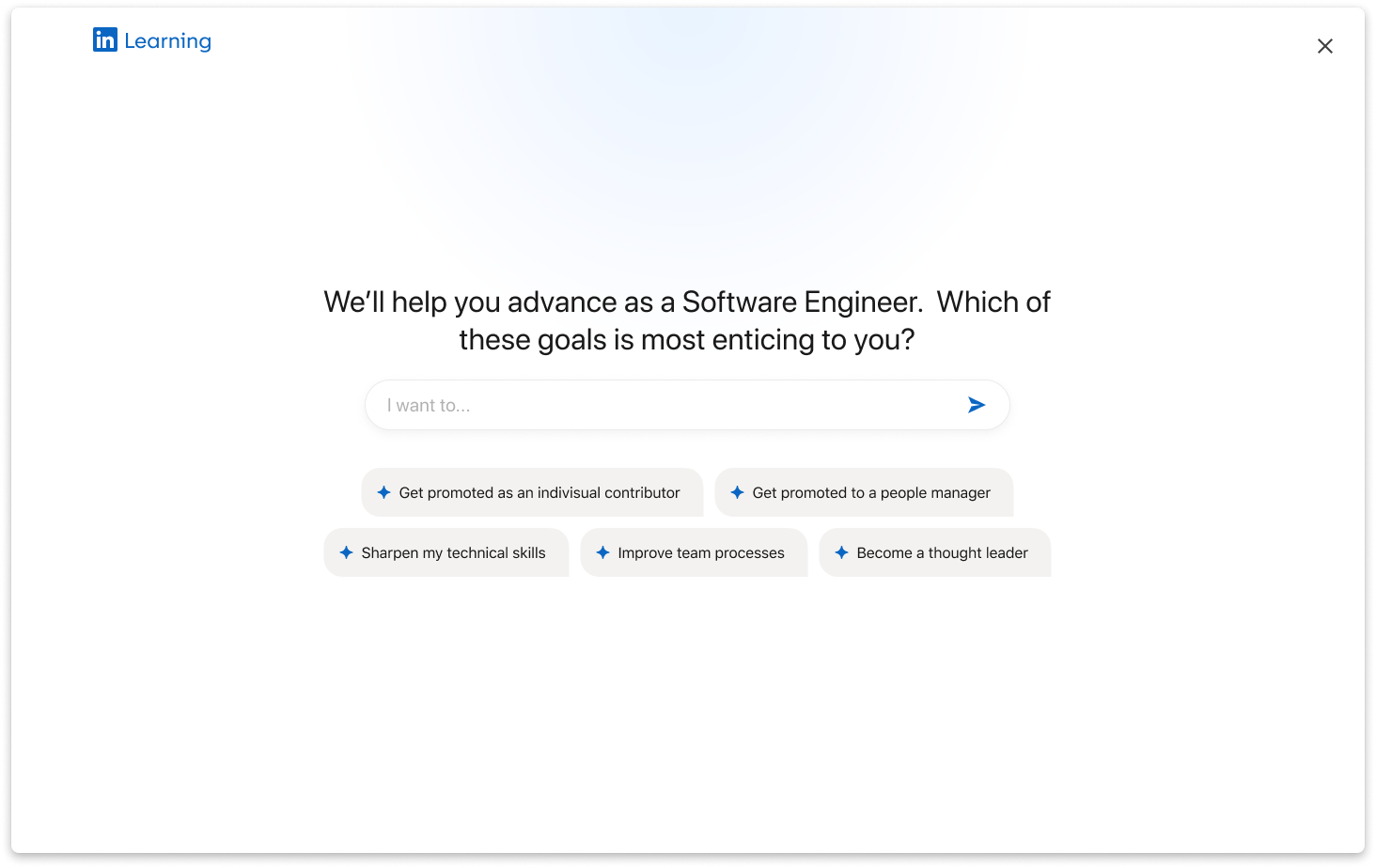
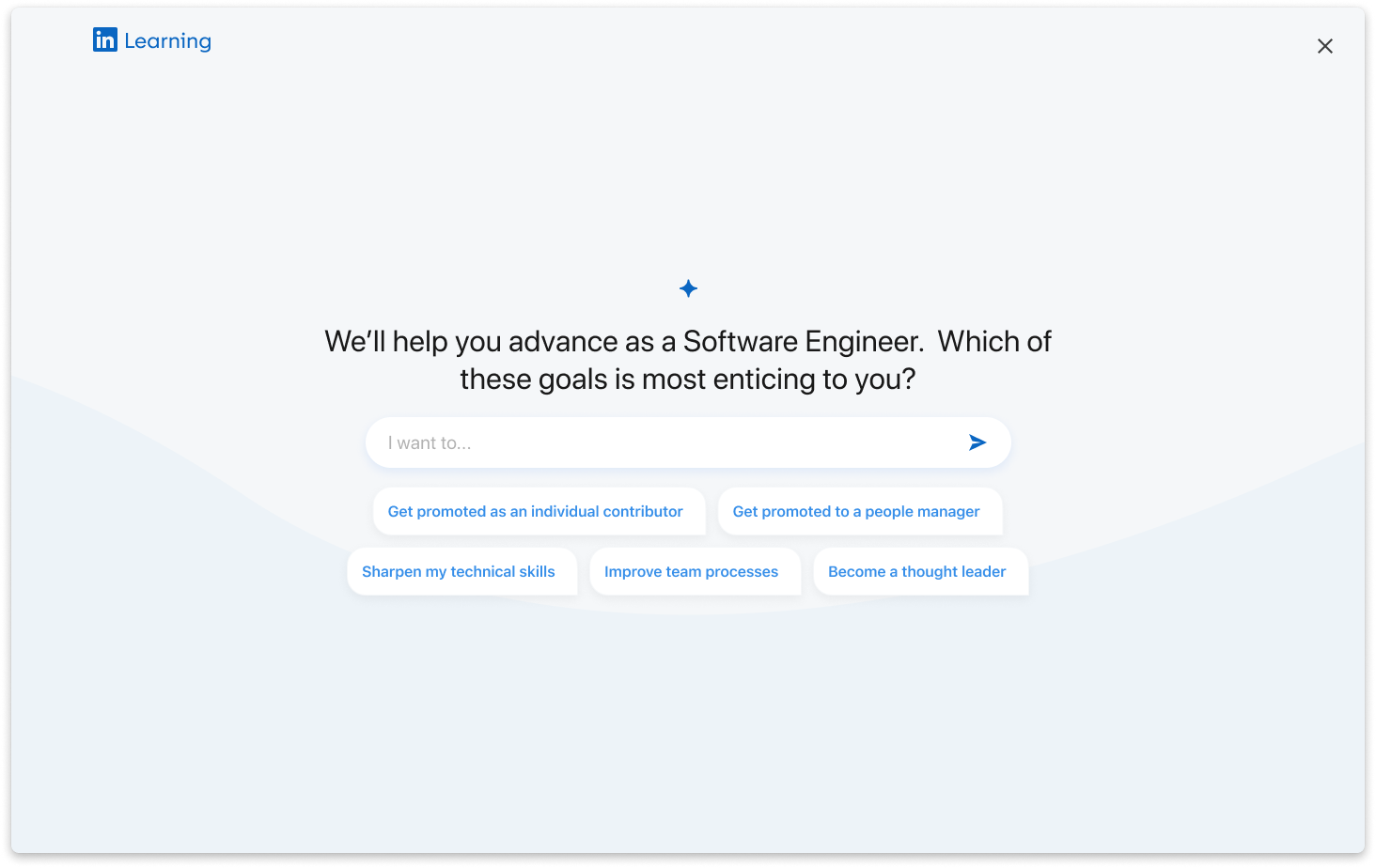
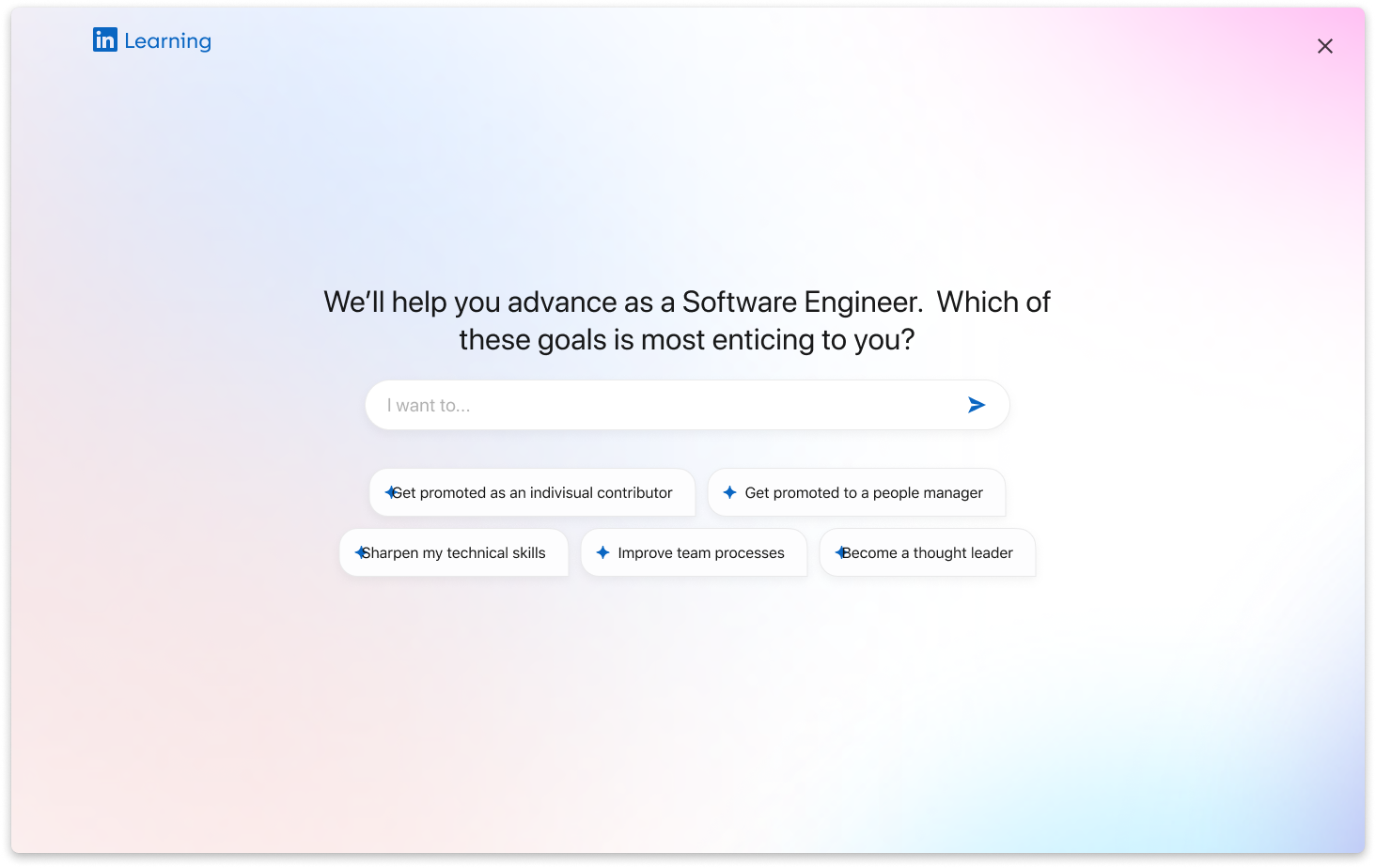
Interaction patterns and systems
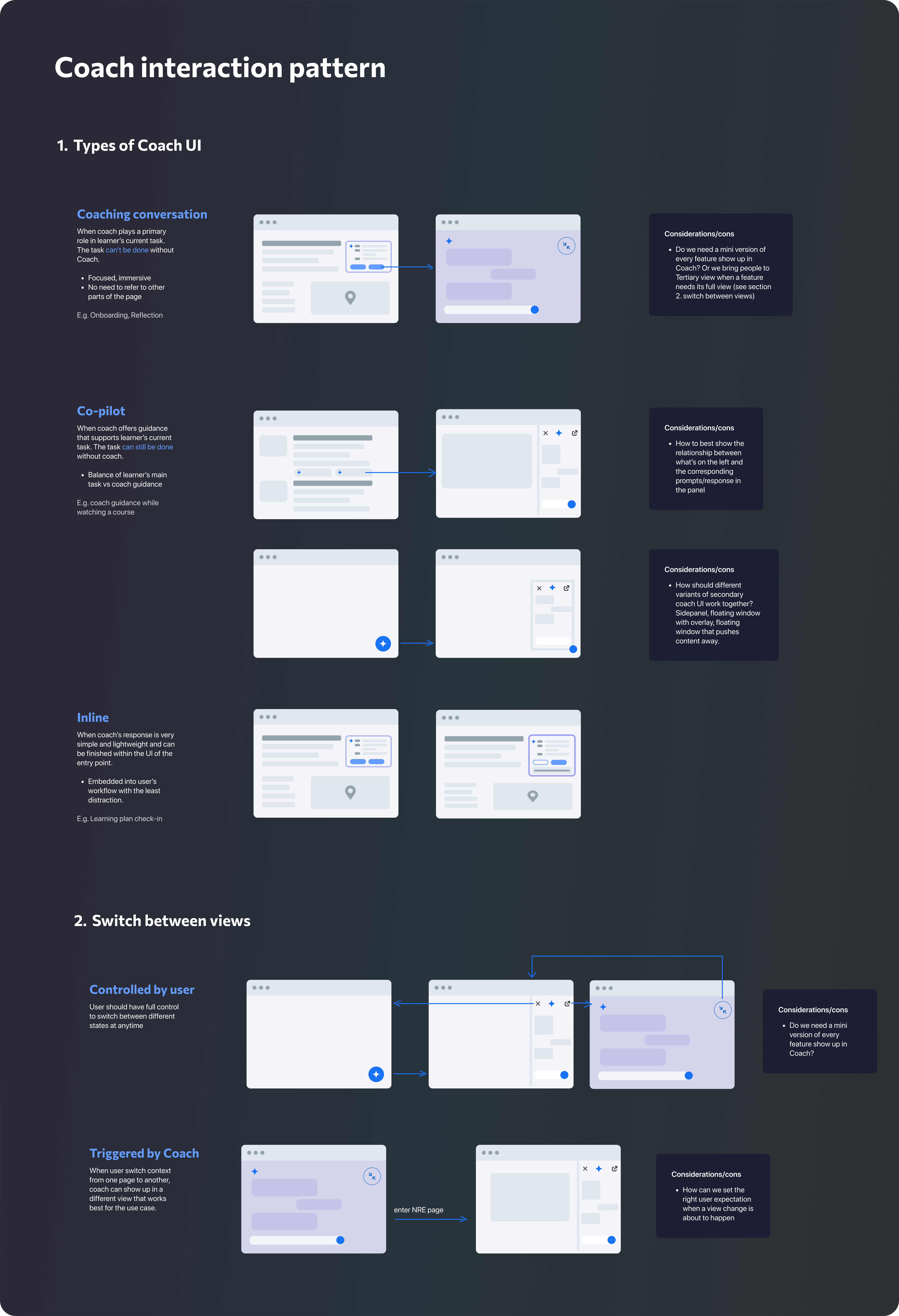
It is important to think at the system level when introducing new features, especially when there's already existing usage or use cases of certain elements. In this project, the AI modality triggers some thoughts and iterations, both inside the project group, as well as when collaborating across the broader team. To best unify our thoughts, I create a framework to help summarize and guide our thinking about how to use AI in our UI.
Final Design
From March to June 2024, we did tons of iterations, had almost weekly reviews with leadership (product and design), presented at Product All Hands and later at Talent Connect. It was ramped to public in October. Here are the final designs of our initial launch, including the full flow, and a prototype for the most common flow.
Full Flow

Prototype
Results & Impact
The result was very positive. The new design drove overall positive learning engagement, indicating learners who are receiving a plan are getting more value out of Learning.